
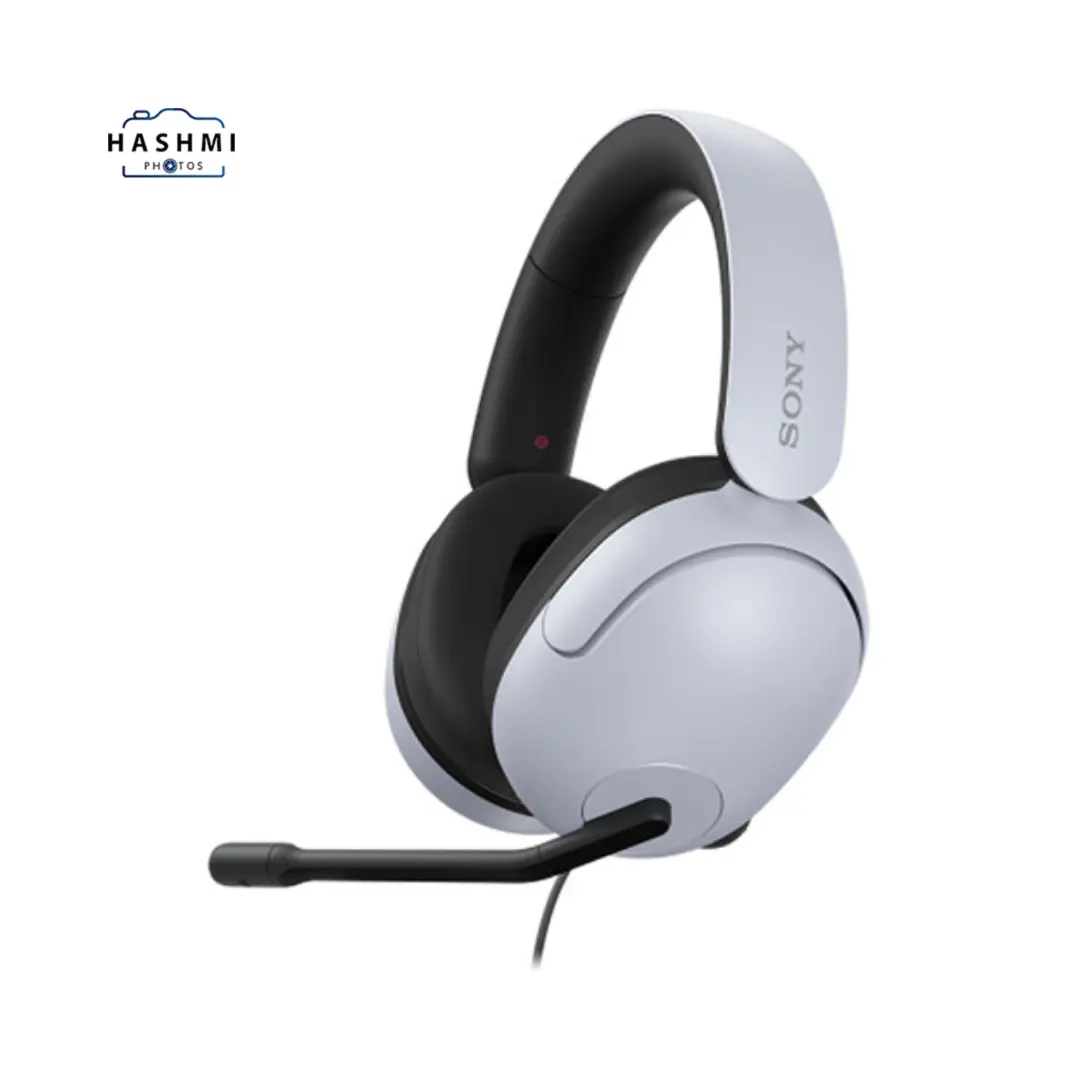


Sony InZone H3 Wired Headset
₨ 19,000.00
For Windows and PlayStation 5
40mm Drivers
Unidirectional Microphone
To mute, flip the mic up
Controls on the Left Earcup
360-degree spatial sound
INZONE HUB
Comfortable Design
Includes a USB Audio Box
Related Products


With a focus on gaming, the Sony INZONE H3 Wired Headset aims to provide clear communication and immersive audio experiences. Here’s a detailed overview:
Sony INZONE H3 Overview
360 Spatial Sound:
The system simulates multi-channel audio signals to provide 360-degree spatial sound for gaming.
Personalization:
For a more customized experience, the 360 Spatial Sound Personalizer app tailors the sound to your ear shape.
Powerful bass frequencies:
Ducts in the headset housing enhance low-frequency sounds, making in-game effects like explosions and engines more realistic and impactful.
Comfort:
The purpose of smooth nylon earpads is to lessen pressure on your ears, enhance stability, and improve sound isolation.
Headband:
The wide, soft headband cushion distributes weight evenly to prevent discomfort during extended gaming sessions.
Microphone: Flexible Boom Mic:
You can adjust it closer to your mouth for clear communication, and it also has a flip-to-mute function.
Unidirectional Design:
It guarantees a clear capture of your voice while reducing the impact of background noise.
Left Side Controls:
The volume dial and microphone control, two key operation features of the device, are conveniently located for easy access during gameplay.
Discord Certified:
It ensures reliable performance with Discord’s voice, video, and text communication services for smooth interaction with friends during online gaming.
Compatibility:
Compatible with Windows and PlayStation 5.
Overall, the Sony INZONE H3 Wired Headset enhances your in-game audio experience and communication, making it a solid choice for gamers seeking comfort and high-quality sound.
FAQs
What devices are compatible with the Sony INZONE H3 Wired Headset?
The INZONE H3 is compatible with Windows PCs and PlayStation 5 consoles.
How does the 360-degree spatial sound feature work?
The INZONE HUB software on your PC activates the 360-degree spatial sound for gaming. It virtualizes multi-channel audio signals to create a surround-sound effect. For more personalized audio, the 360 Spatial Sound Personalizer app further customizes this experience to match your ear shape.
Can I use the headset without the INZONE HUB software?
While you can use the headset without the software, you won’t be able to access the 360-degree sound features. Basic audio and microphone functionality will still work.
How do the earpads contribute to comfort?
We designed the smooth nylon earpads to minimize pressure on your ears, provide a stable fit, and provide excellent sound insulation. This design helps to reduce fatigue during long gaming sessions.
What is the purpose of the flexible boom microphone?
Positioning the boom microphone closer to your mouth ensures clear voice communication. It is unidirectional, meaning it focuses on picking up your voice while reducing background noise. Flipping the mic up mutes it.
Where are the controls located on the headset?
The main controls, including the volume dial and microphone adjustments, are located on the left earcup for simple access while gaming.
What is Discord certification?
Discord certification guarantees dependable performance for online gaming interactions by testing and approving the headset for use with Discord’s voice, video, and text communication services.
Can I change the headset’s fit?
Yes, the earpads’ shape enhances comfort and stability, and the headband’s wide, soft cushion evenly distributes weight across your head. Although the headset lacks adjustable earpieces, its design aims to comfortably fit a wide range of head sizes.
Is the Sony INZONE H3 Wireless?
No, the INZONE H3 is a wired headset, meaning it connects to your device via a cable. This ensures stable audio transmission without the need for batteries.
How can I update the INZONE HUB software?
To keep the INZONE HUB software updated, check for updates directly within the software itself, or visit Sony’s official website for the latest version and installation instructions.
Specification: Sony InZone H3 Wired Headset
|


There are no reviews yet.