


Zhiyun-Tech Smooth Q4 Smartphone Gimbal Stabilizer
₨ 26,000.00
Compact Folding 3-Axis Stabilizer
Built-In Extension Rod up to 8.5″
Landscape & Portrait Modes
Livestreaming via Companion Mobile App
Supports Smartphones up to 9.9 oz
Various Templates & Gimbal Modes
Onboard Button Controls
15-Hour Runtime
Tripod Accessory
USB-C Port for Charging & Firmware
Related Products
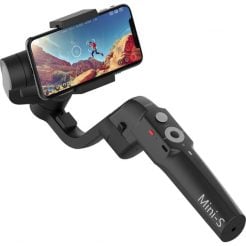

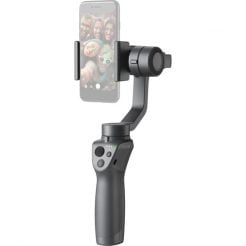


Zhiyun Smooth Q4 Overview
The Smooth-Q4 Smartphone Gimbal Stabilizer by Zhiyun-Tech retains many features and recording modes of its predecessor while introducing a built-in extension rod for mobile content creators. Capable of supporting smartphones weighing up to 9.9 oz. and measuring 3.5″ in width, the Smooth-Q4 is a versatile tool. You can realize your creative vision with its companion app, available for both Android and iOS, which is brimming with templates, editing tools, and control options. Switching between landscape and portrait modes is effortless with the push of a button, allowing you to seamlessly transition from capturing sweeping landscapes to filming TikTok videos. The integrated battery provides up to 15 hours of power, and a single USB-C port allows for recharging in just 2.5 hours or serves as a firmware update connection.
Expandable Design for Easy Use
Thanks to its improved controls and comfortable grip, you can operate the Smooth-Q4 with one hand. The gimbal features joysticks, buttons, and wheels that manage functions such as gimbal modes and video recording. Various indicator lights display the current mode or battery status. The integrated 8.5″ extension rod allows you to extend your reach, and you can attach a mini tripod to the bottom for stable, hands-free shooting. For low-light situations, you can attach a separately available magnetic fill light to the gimbal.
Onboard Controls and Indicators
Use the multi-functional control wheel to adjust the brightness of the optional fill light, or slide to modify your phone’s focal length. Additional onboard controls include a power button, a photo/video button, a MODE button, a trigger button, and a joystick. Gimbal mode indicators make it simple to see which mode is active, including Lock, Follow, Pan Follow, Point of View, and Vortex.
The ZY CAMI smartphone app
The app, compatible with Android 7.0 and iOS 10.0 and above, features SmartShooting, a feature that recognizes your shooting scenario and suggests exclusive modes like MagicPano and Livestream Master. By tapping the app interface, you can toggle SmartFollow 3.0 to keep your subject centered. The app also provides smart editing templates, background music, special effects, and various tools to elevate your video content. It includes split-screen comparisons and behind-the-scenes camera movements to help you understand how to best mimic template formats.
Gesture control and orientation switching
The gimbal can initiate photo or video capture through simple hand gestures aimed at the camera. Both the onboard controls and gesture functions allow you to switch between landscape and portrait orientations, making it simple to adapt your filming style for different social media platforms.
Here’s a list of frequently asked questions (FAQs) regarding the Zhiyun-Tech Smooth-Q4 Smartphone Gimbal Stabilizer:
FAQs for the Smooth-Q4 Smartphone Gimbal Stabilizer
1. What smartphones are compatible with the Smooth-Q4?
The Smooth-Q4 can support smartphones weighing up to 9.9 oz. and with a width of up to 3.5 inches.
2. How long does the battery last on the Smooth-Q4?
The built-in battery provides up to 15 hours of continuous use.
3. How can I charge the Smooth-Q4 device?
You can recharge the Smooth-Q4 using the USB-C port, which takes approximately 2.5 hours for a full charge.
4. Does the Smooth-Q4 come with a mobile app?
Yes, the Smooth-Q4 is compatible with the ZY CAMI app, available for both Android (7.0 and above) and iOS (10.0 and above).
5. What features does the ZY CAMI app offer?
The app includes SmartShooting mode suggestions, SmartFollow 3.0 to keep subjects centered, smart editing templates, and additional effects and tools to enhance your videos.
6. Can I switch between landscape and portrait modes easily?
Yes, switching between landscape and portrait modes is simple—just press a button to change orientations.
7. Is the Smooth-Q4 easy to operate with one hand?
Indeed, the Smooth-Q4 boasts improved onboard controls and a comfortable grip, making it ideal for one-handed operation.
8. What shooting modes are available on the Smooth-Q4?
The gimbal supports several modes, including Lock, Follow, Pan Follow, Point of View, and Vortex.
9. Can I attach accessories to the Smooth-Q4?
Yes, you can attach a mini tripod for hands-free setups and a magnetic fill light for enhanced lighting in low-light conditions.
10. How do I use gesture control with the Smooth-Q4?
You can initiate photo or video capture by performing simple hand gestures directed at the camera.
11. What is the maximum length of the extension rod?
The built-in extension rod can extend up to 8.5 inches, giving you greater reach for your shots.
12. Are there any special effects available through the app?
Yes, the app offers various special effects, background music, and smart editing templates to enhance your videos.
Specification: Zhiyun-Tech Smooth Q4 Smartphone Gimbal Stabilizer
|
User Reviews
Be the first to review “Zhiyun-Tech Smooth Q4 Smartphone Gimbal Stabilizer”

₨ 26,000.00

There are no reviews yet.