


Desview TP170 Portable Teleprompter
₨ 95,000.00
70/30 Beamsplitter Glass
Fits Devices 12.9 to 17″
Film with Webcam, DSLR, or Camcorder
2.4 to 3.8″ Camera Height Adjustment
Adjustable Teleprompter Base
Tablet Clamp
Collapsible Lens Hood with Drawstring
Prompting App, Remote Control
Related Products
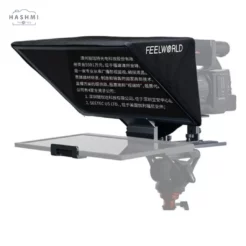
Desview TP170 Overview
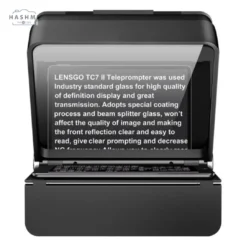
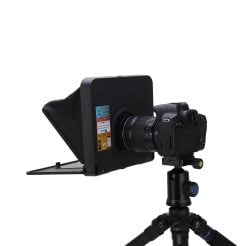
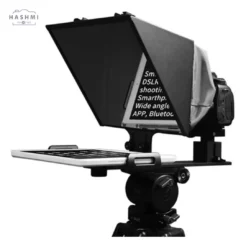
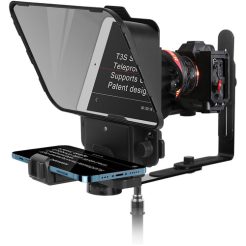
Create scripted presentations effortlessly using the TP170 Portable Teleprompter from Desview, compatible with camcorders, DSLRs, or webcams—all from a single device. Featuring a 70/30 beamsplitter glass, a collapsible drawstring lens hood, and adjustable brackets, the TP170 transforms your tablet (up to 17 inches) into a professional teleprompter for your pre-recorded videos. The height-adjustable mount offers a range from 2.4 to 3.8 inches and includes several adjustable components to customize the setup for your preferred recording device.
Equipped with a drawstring closure, the collapsible lens hood enhances compatibility with various cameras and minimizes light interference to reduce glare. An upgraded prompting app boasts an optimized user interface, allowing for quick document imports, setting adjustments, and remote control capabilities. You can even output the current shooting view through the prompter to ensure proper framing for your shot. You can mount the entire system on a tripod to ensure stable filming.
Adjustable, Modular Design
Camera mount adjustment range: 2.4 to 3.7 inches (1.2-inch total)
Beamsplitter adjustment: 2 inches
Device compatibility: Tablets with diagonal sizes ranging from 12.9 to 17 inches and a height of 11.8 inches are compatible.
The maximum length adjustment for the Teleprompter base is 14.2 inches.
The tablet clamp has a maximum height adjustment of 2 inches.
Maximum lens distance: 11.8 inches
Here are some frequently asked questions (FAQs) for the TP170 Portable Teleprompter from Desview:
FAQs for the TP170 Portable Teleprompter
1. What devices are compatible with the TP170 Teleprompter?
The TP170 is compatible with tablets ranging from 12.9 to 17 inches diagonally. It can also accommodate various cameras, including DSLRs and webcams.
2. How do I set up the TP170?
To set up the TP170, attach your tablet to the device using the adjustable clamp, adjust the height of the mount to your desired level (between 2.4 and 3.8 inches), and connect your camera to the teleprompter base. You can adjust the collapsed lens hood as needed to block light and reduce glare.
3. Is the teleprompter portable?
Indeed, the design of the TP170 prioritizes portability. It features a collapsible design, making it simple to transport and set up wherever you need to film.
4. How does the upgraded prompting app work?
The upgraded prompting app features a user-friendly interface that allows you to import documents quickly, adjust settings, and control the teleprompter remotely. You can also output the current shooting view to help frame your shot accurately.
5. Can I use the TP170 with a tripod?
Absolutely! The entire system is tripod-mountable, ensuring stable filming for your presentations.
6. What is the maximum lens distance?
The TP170 supports a maximum lens distance of 11.8 inches, providing flexibility for different camera setups.
7. How do I prevent glare while using the teleprompter?
The collapsible lens hood with a drawstring closure helps block out light and minimize glare, ensuring clear visibility of the text on your tablet.
8. What is the adjustment range for the camera mount?
You can customize the camera mount based on your recording device by adjusting it within a range of 2.4 to 3.7 inches.
9. Can I use this teleprompter for live broadcasts?
If your setup is compatible and you can manage the prompting app in real time, you can use the TP170 for live broadcasts, despite its primary design for pre-recorded content.
10. What accessories come with the TP170?
The TP170 typically comes with a collapsible lens hood, adjustable brackets, and a user manual. Check the product listing for specific accessories included with your purchase.
Specification: Desview TP170 Portable Teleprompter
|


There are no reviews yet.